 BTS
BTS Stray Kids
 ATEEZ
ATEEZ BLACKPINK
 ENHYPEN
 aespa
aespa Jennie
 G-Dragon
 Hearts2Hearts
 IVE
IVE NCT DREAM
 NMIXX
NMIXX TWICE
TWICE TXT
TXTHow to Change Your Address
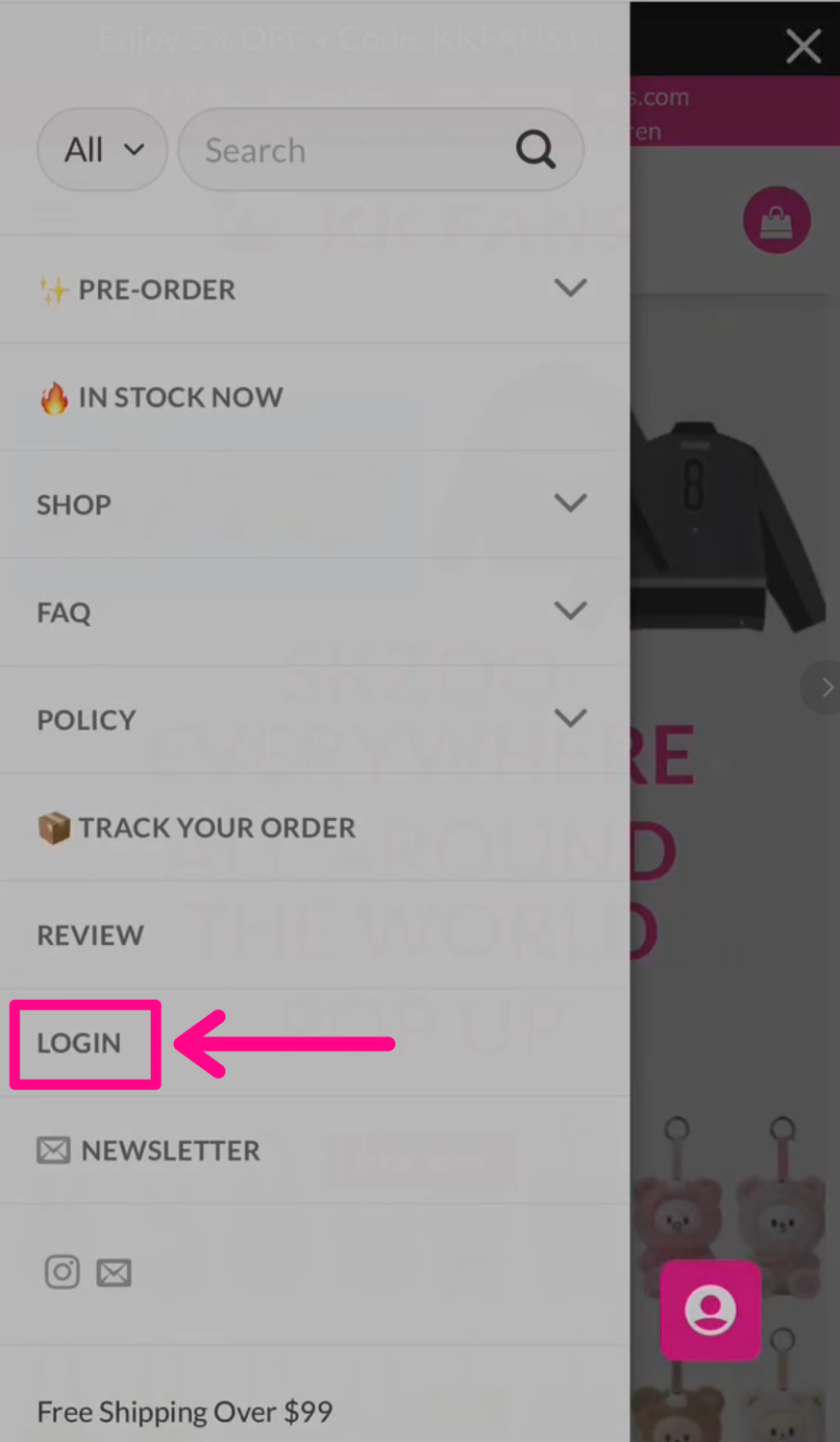
- Log in to your KK FANS account.
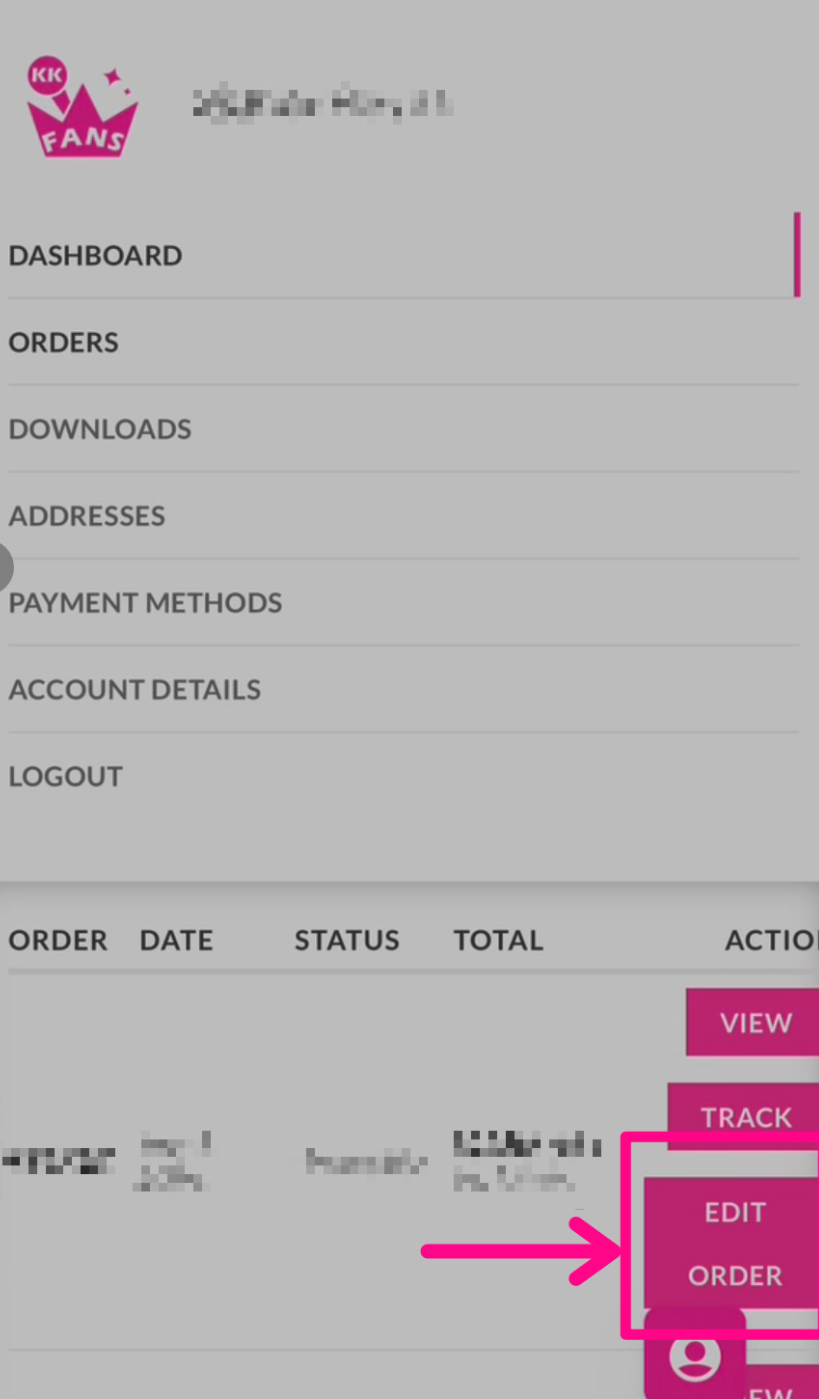
- Go to My Account → Orders.
- Find the order you want to update.
- Click Edit Order.
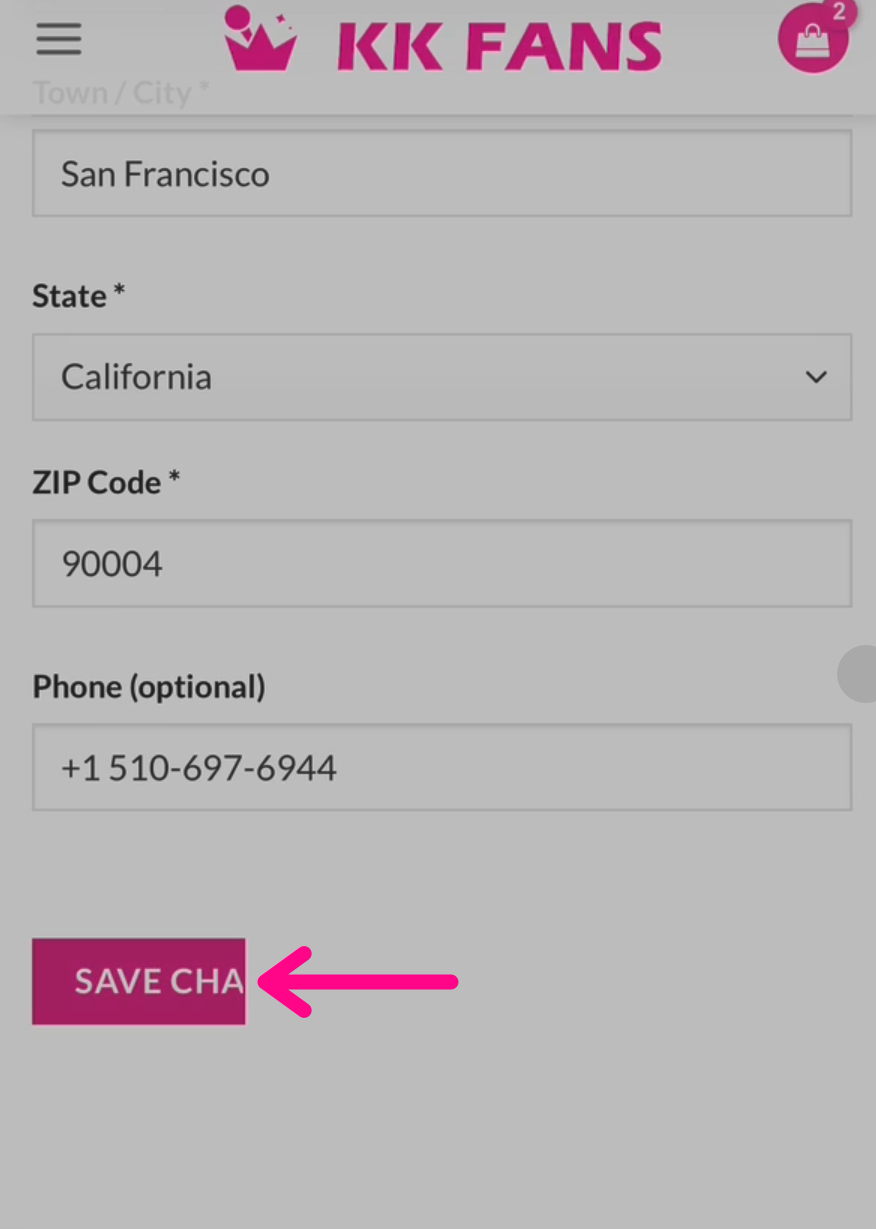
- Enter your correct shipping address.
- Click Save Changes.
Please note: You can only edit your shipping address if you created or logged into an account when placing the order.
If you checked out as a guest, the order will not appear in your account. Please contact our customer service team [email protected] for help updating your shipping address.
Once your order has shipped, the shipping address can no longer be changed.